












































































































































































































































































































































































































































































HTTP Cookies & Sessions
HTTP is stateless, how do we perform session management and validation?
This is how cookies come into play.
The client is responsible for storing session information for future requests
Ultimately this means clients must include their session information in requests made to the server for authentication and validation.
Cookies
Used to store session information and other data sent to the server client-side
- Client requests access to URL (https://nelsondouglas.com)
- Server says this resource exists, asks the client to save a cookie in the browser. This will be the sessionID among a couple of other things.
- If you close a specific pop-up, that information is handled within the cookies stored in your browser
- The next time a request is sent to that site/web app, your preferences are stored in that session information.
Cookies are typically used to uniquely identify clients interacting with a server
They're stored in a temporary directory on the client browser

Cookies are typically used for state management
- Session IDs
- Other cookie attributes
When communicating with a web server, the header will send a cookie to the client with the Set-Cookie header.
Delete the cookies, and the site will likely prompt you to log in again. Since the server hasn’t sent or validated a new cookie yet, it will issue a fresh one for identity verification. However, because the original cookie is gone, it won’t contain any information indicating you're already logged in.
Cookie Attributes
- Session ID - Random string used for session management
- Expires - Cookie expiration date
- Domain - Domain(s) where this cookie can be used
- Path - Resource or path where this cookie is valid
- HttpOnly - If enabled, this prevents the cookie from being accessed by JS client-side (MitM attack can sniff out this request including the cookie and perform session impersonation)
- Secure - if enabled, the cookie will only be sent via HTTPS
SessionID Attribute
Session IDs are unique identifiers used to identify users and their respective sessions. Stored in cookies or as a URL parameter.
Where are Session IDs stored?
- Cookies
- URL
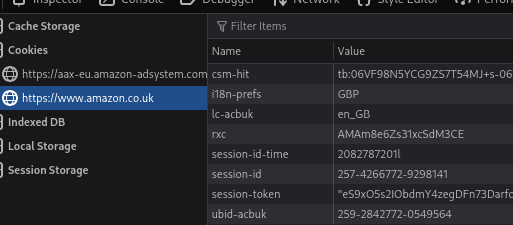
Given the use case of Session IDs, Session IDs should abide by the following guidelines
- Must be random and unique
- Need to be sent securely
- Should be lengthy
- Should never be reused
DVWA - Login Example
Note the PHPSESSID stored in the cookie, also note the security level being stored in the cookie too. Used for the security level function in DVWA (you won't see this anywhere outside of test environments obvs)
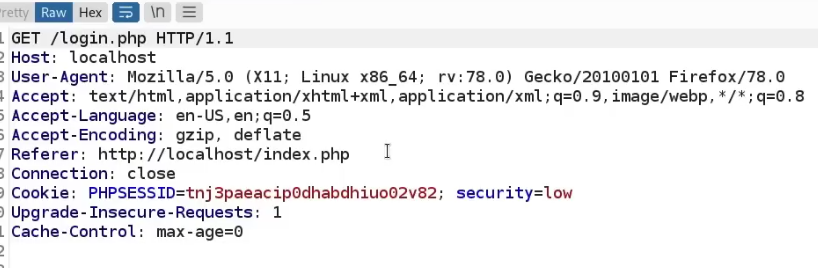
Note sessionIDs can be used for tracking sessions and authenticated session management, so they're used for both logged in and not logged-in users.
httpOnly Attribute
If enabled, this prevents the cookie from being accessed by JS client-side (MitM attack can sniff out this request including the cookie and perform session. Basically, theft protection check forcing the cookie to be sent only over HTTP(S). i.e. block JS access like in an XSS context.
Without httpOnly, we can view the cookie directly from the console. We can also see it in an alert.
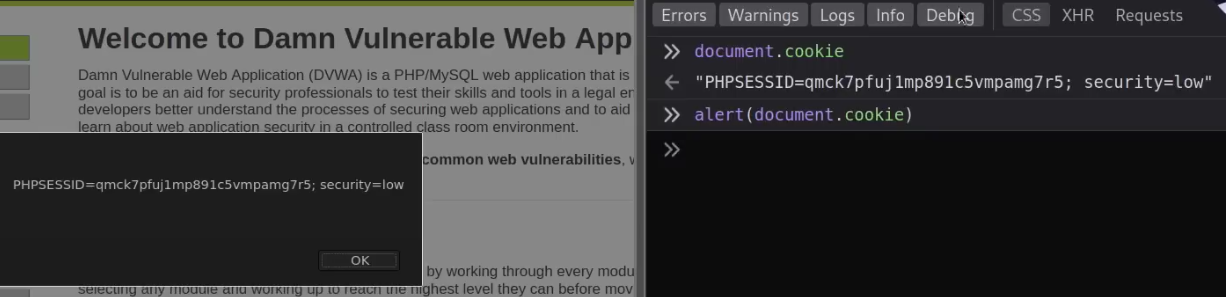
httpOnly - Practical Example - Stored XSS
This vulnerability allows a user, in this context, to inject JS code into an actual web page so when other users access that page, it's executed on the client-side. How is this useful to an attacker? If you customize the JS, you can actually have it send information of other users on the page, to you.
An example of XSS in the DVWA
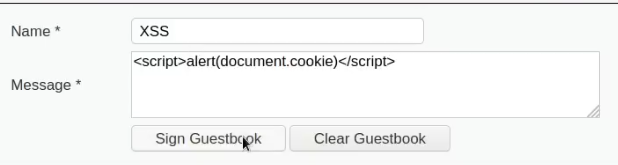
When httpOnly attribute is disabled, the JS is executed.
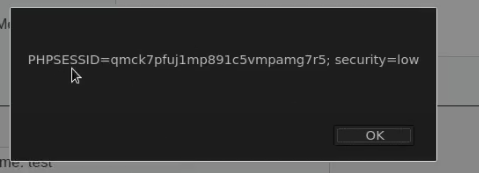
With httponly enabled
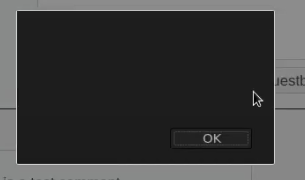
isSecure Attribute
isSession Attribute
An example in DVWA, the isSession token is shown in intercepts on the weak sessionIDs vulnerability page. The page will set a new cookie called dvwaSession each time the button is clicked.
Clicking the generate button and intercepting the request shows the dvwaSession in the cookie. Note this is vulnerable as it's (very likely) not a random value.
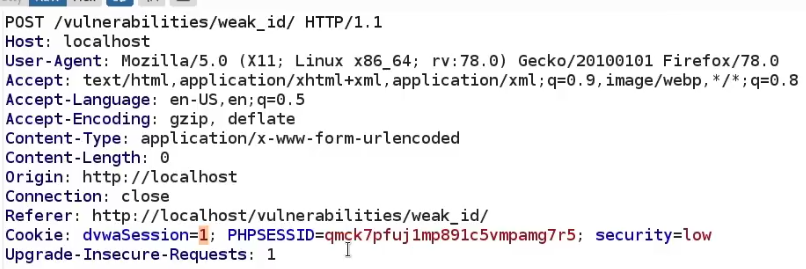
When we generate again, it generates 2, it's sequentially handled

Now that we know this, we know that we can type in any number we want and impersonate that session. We can test this by sending it to the sequencer.
This vulnerability is verified in Burp's Sequencer.
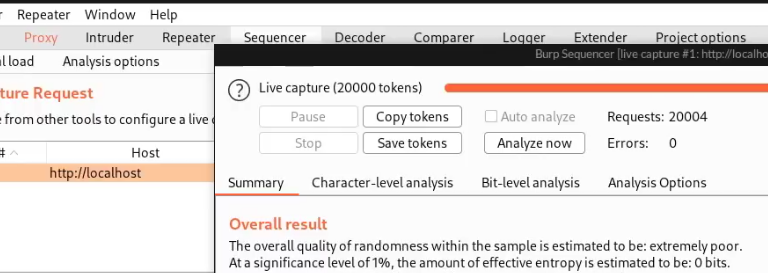
Note you may also need to show the token in Burp's response.
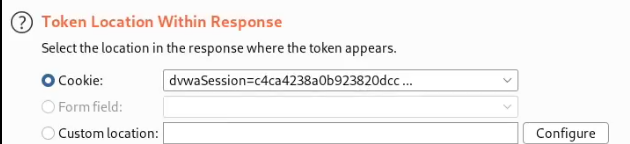
Medium security shows a more complex value, but still extremely short. The sequencer will show the same result.
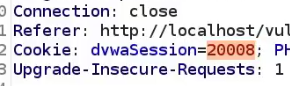
High shows a much better value
